
Features: overlays, launch center, race planner, streaming and team radio
Everything a race engineer needs.
What StintOS does in detail: overlays with relative and radar spotter, launch center, race planner and stint planner, voice commands, team radio, streaming, telemetry analysis and a phone dashboard.
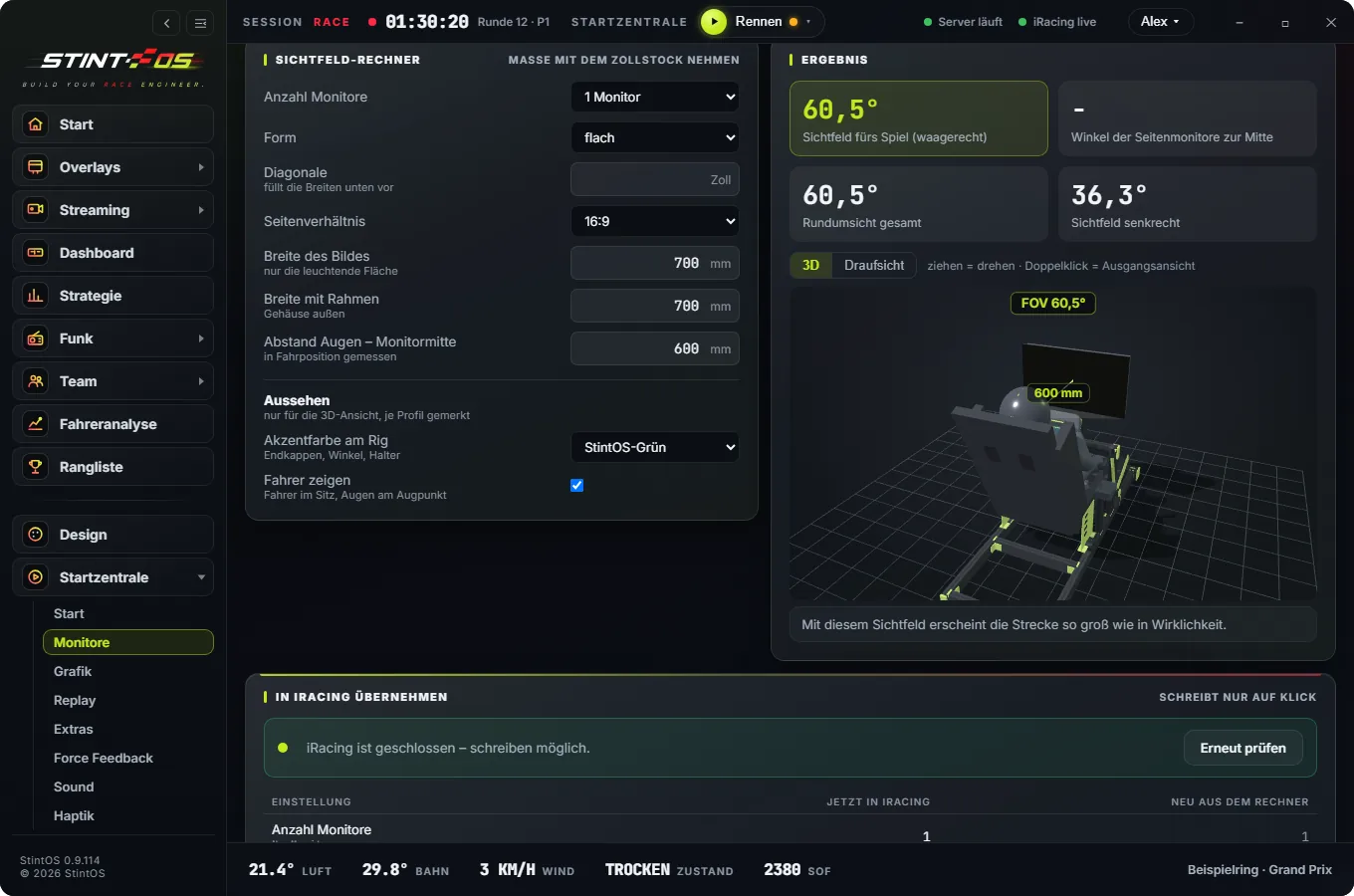
Launch center
One profile, one click: start your programs and set up iRacing.
- Start, monitors, graphics, replay, extras, force feedback, sound, spotter, auto chat, haptics
- Monitors in 3D with FOV and angle calculator, distance and bezel gap adjustable
- Graphics recommendation for your PC, applied with one click and always reversible
- Haptics for bass shakers and pedal vibration, each effect testable on its own
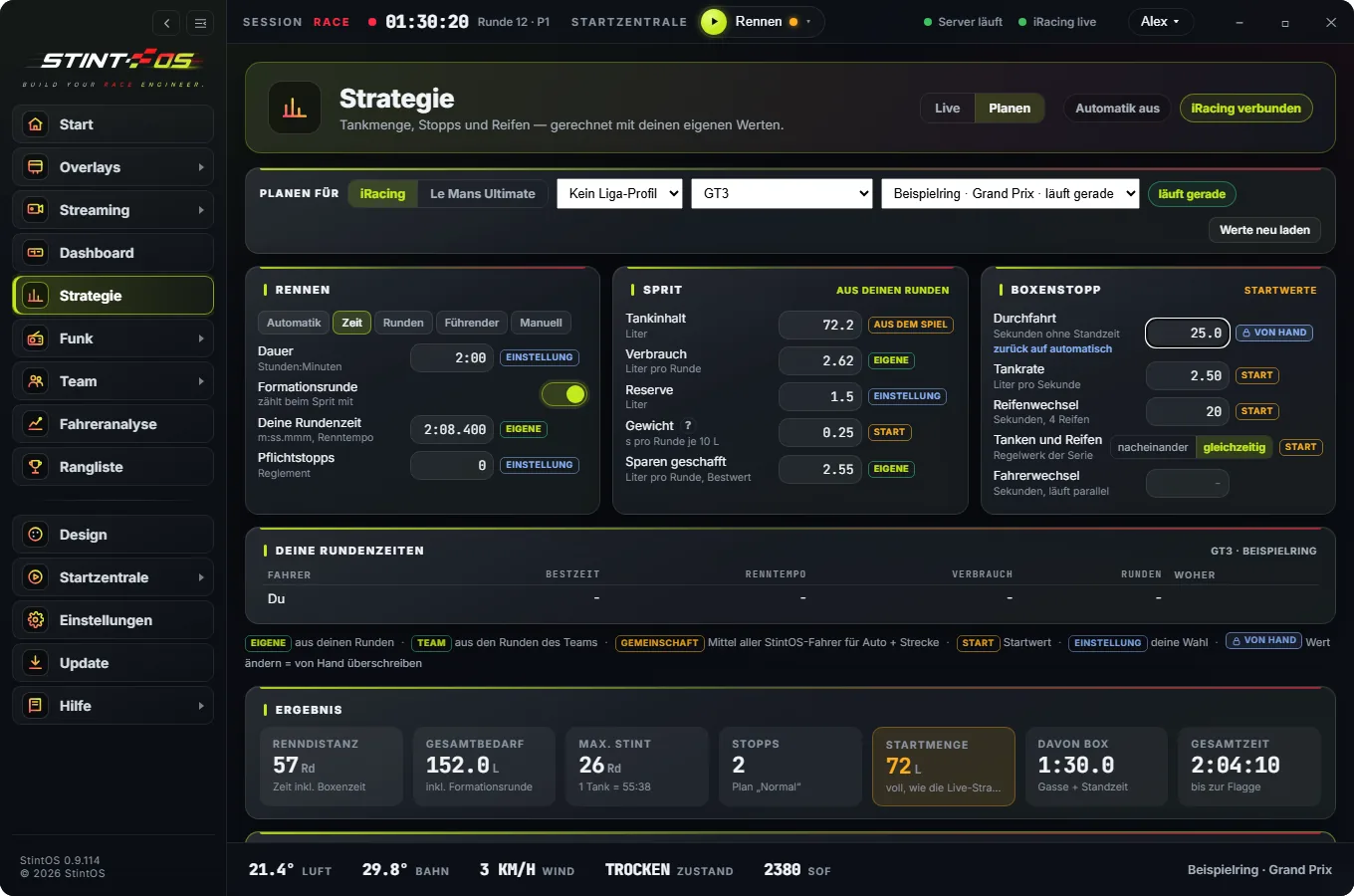
Race planner
Fuel and energy for the whole race – live from the session or planned ahead.
- Live and planning, for iRacing and Le Mans Ultimate
- Normal, save and one-extra-stop variants
- Share the plan with your team; every member picks automatic or manual
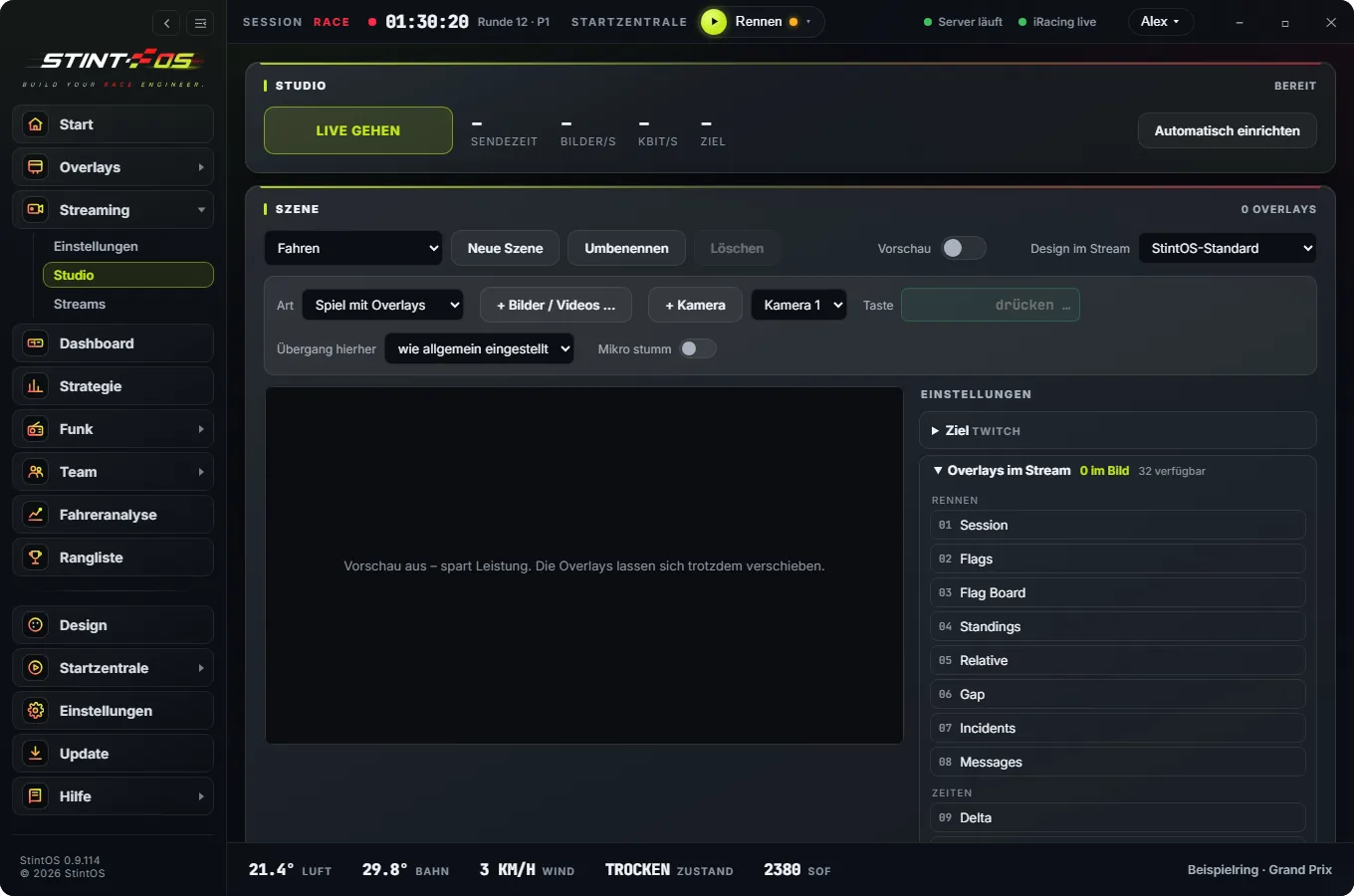
Streaming
Go live without setting up a second program.
- Studio with scenes, camera, images and your own sliders for game, mic, team radio and calls
- Stream to the app – for you, your team or everyone, with chat
- Place overlays freely in the stream, 60 frames per second
- Watch live StintOS streams – also with Free
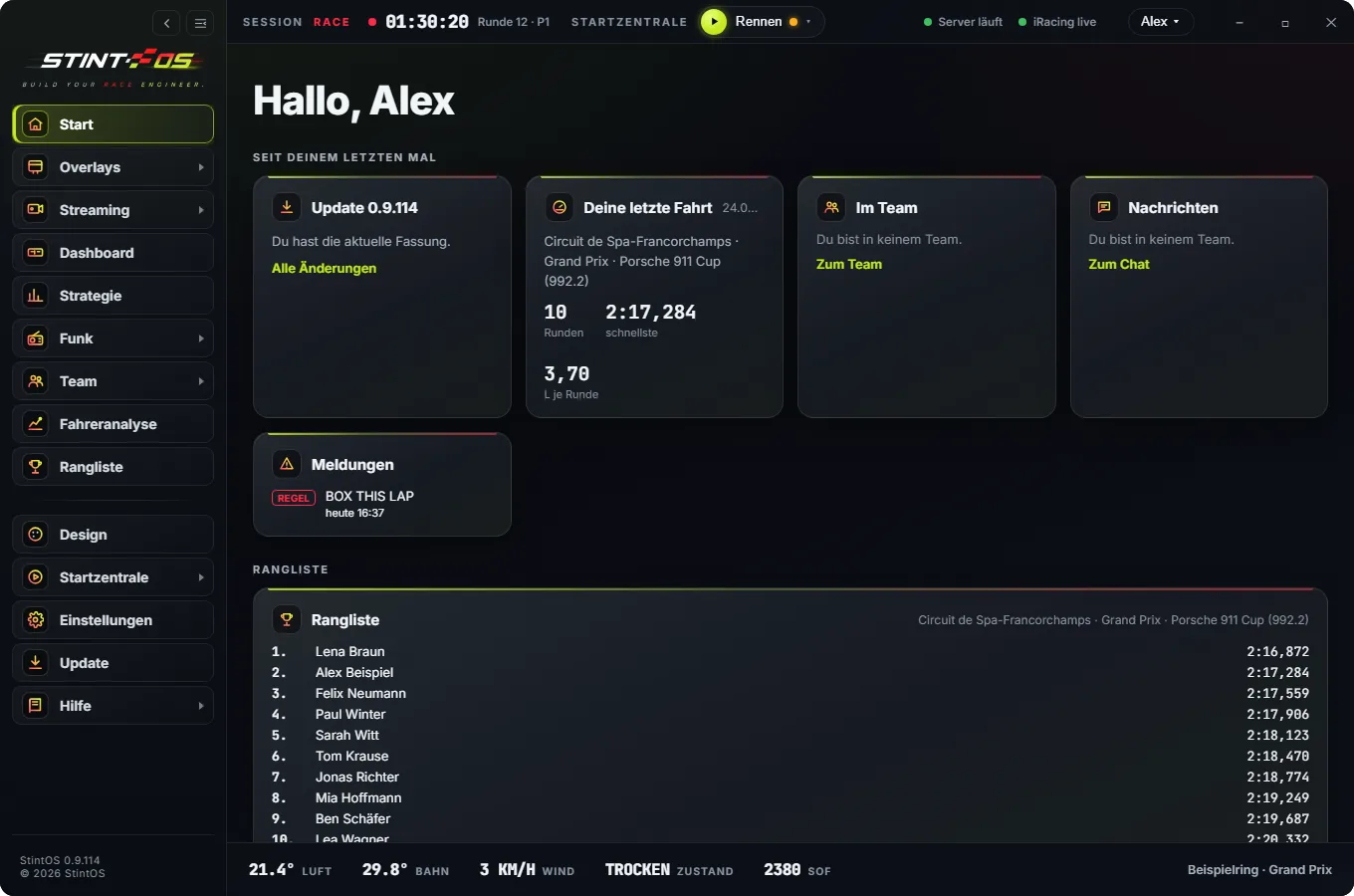
Home screen
A greeting, what happened since last time, and every area at a glance.
- Update, last drive, team and messages
- Your leaderboard right on the home screen
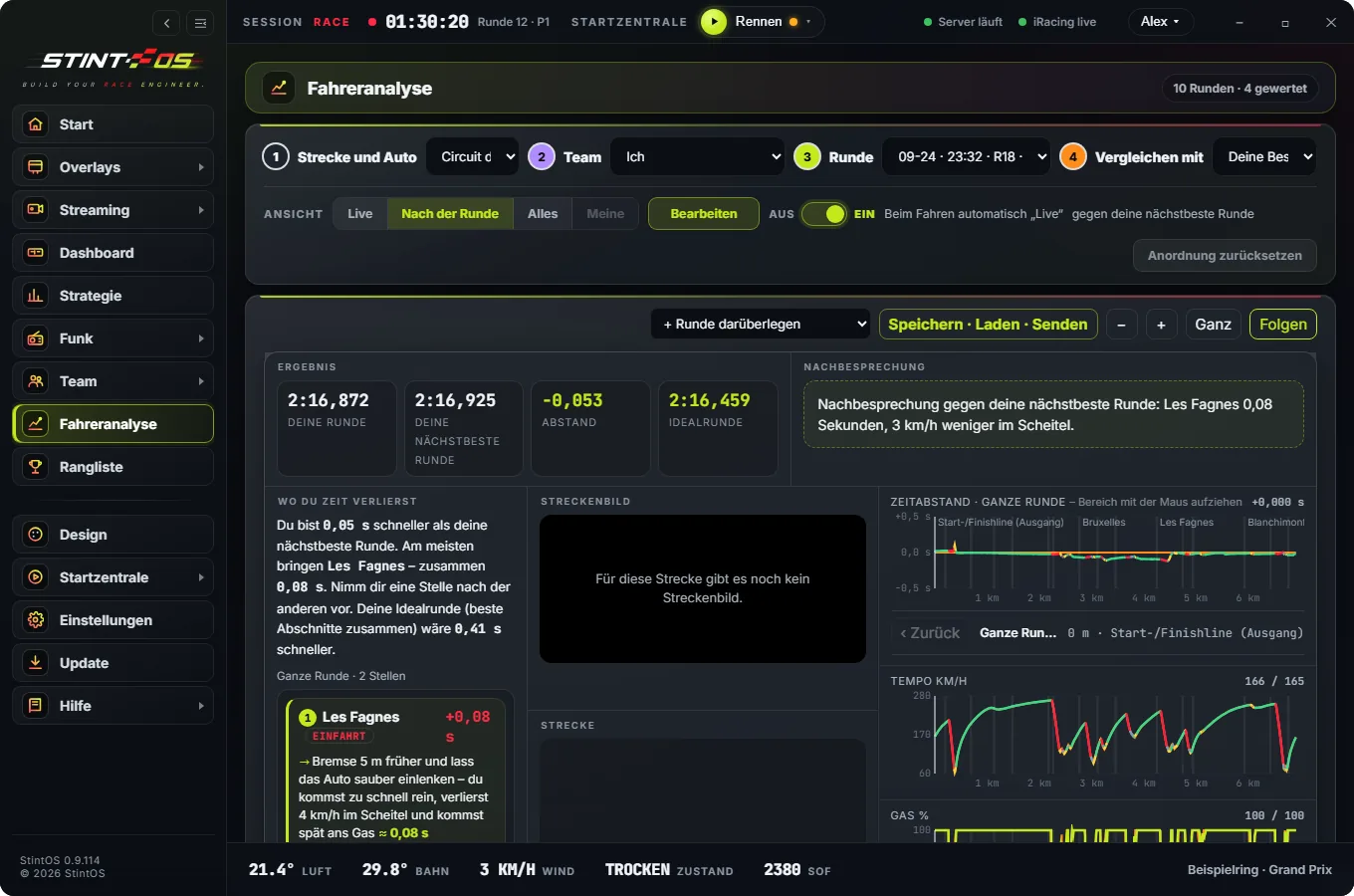
Driver analysis
Corner by corner you see where you lose time and why – one main tip per corner with what it gains. Against your best lap, another lap or the leader, plus the ideal lap. Arrange it as tiles and send laps to teammates as a file or CSV. On the PC and in the app.
- Against your best, another lap or the leader
- Where you lose time: one main tip per corner with its gain
- Ideal lap from your best corners
- Arrange as tiles; laps as file and CSV, sent to teammates with one click
- Debrief over the radio in the pits
- Also in the app, in the Laps tab
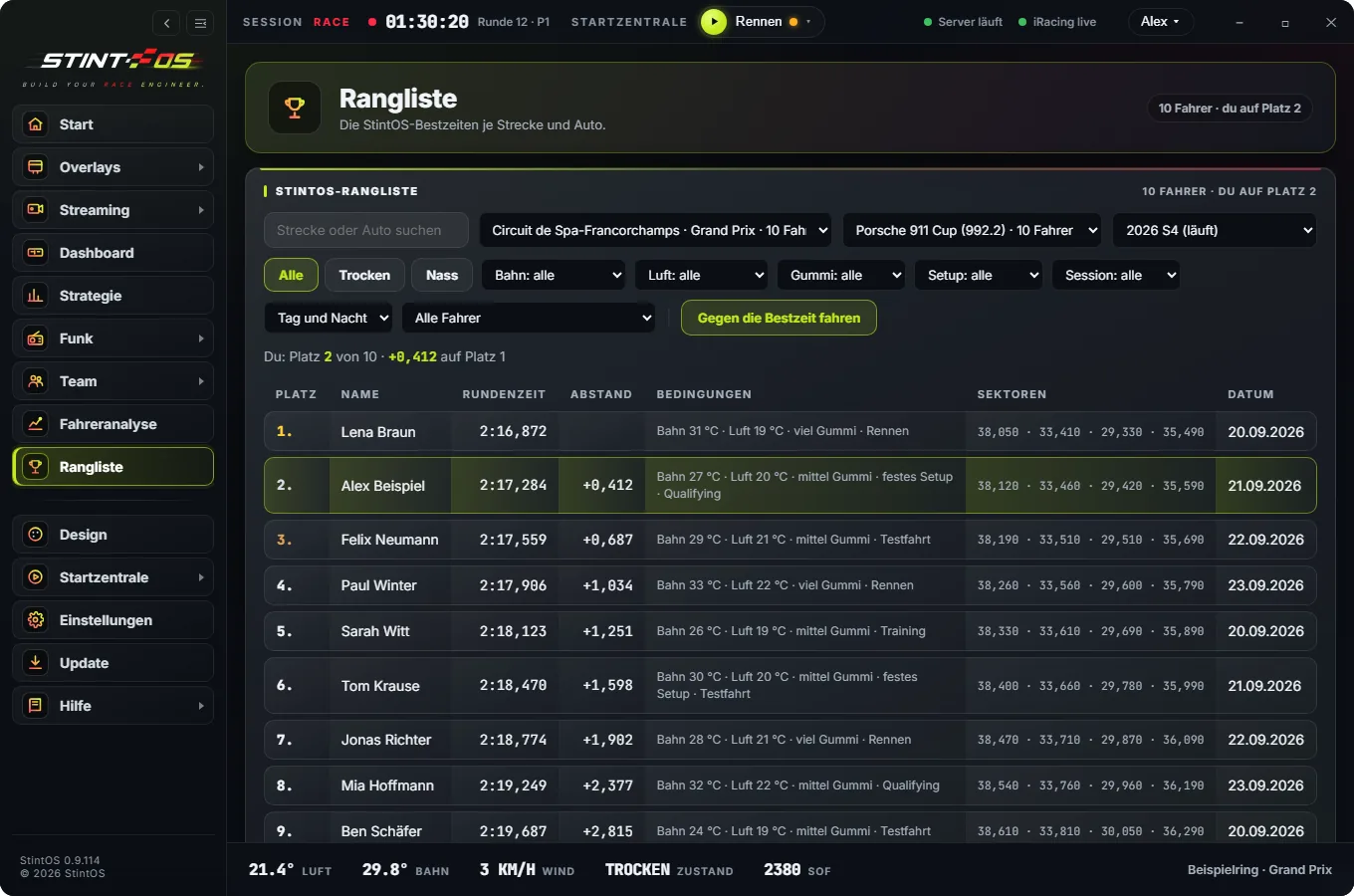
Leaderboard
The StintOS leaderboard per track and car or class, per season. Every time shows the conditions it was set in.
- Per track and car or class, per season
- Filters: track, air, rubber, wetness, setup, session
- Race a ghost or compare
- Best sectors and team leaderboard
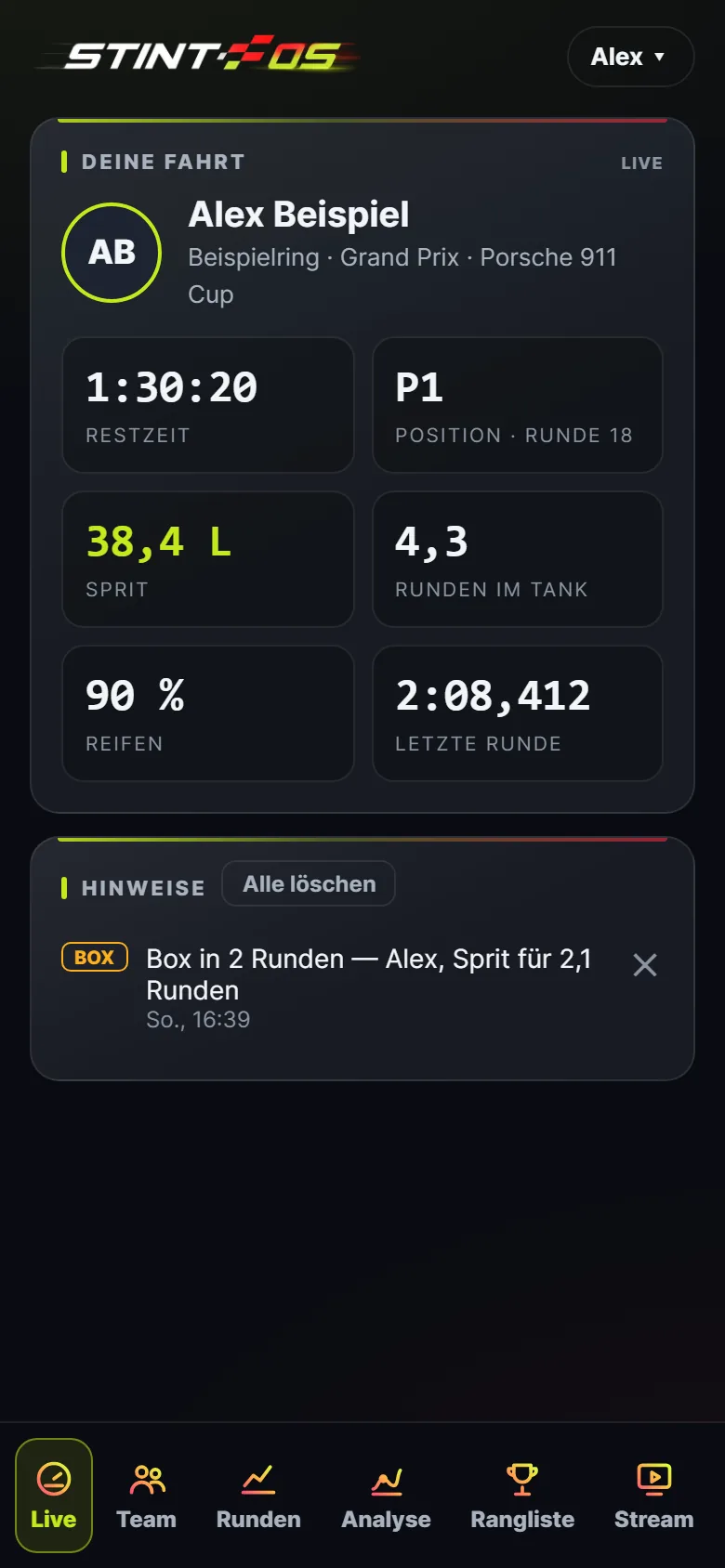
App
Live, team, laps, driver analysis, leaderboard and stream on your phone – plus team radio and your design. Same account as on the PC, no app store, even when the PC is off.
- Live: time left, position, fuel, laps in the tank
- Team: who is driving, calls, spectators via QR code
- Laps with driver analysis, leaderboard with comparison
- Push for pit calls, new bests and when someone beats your time
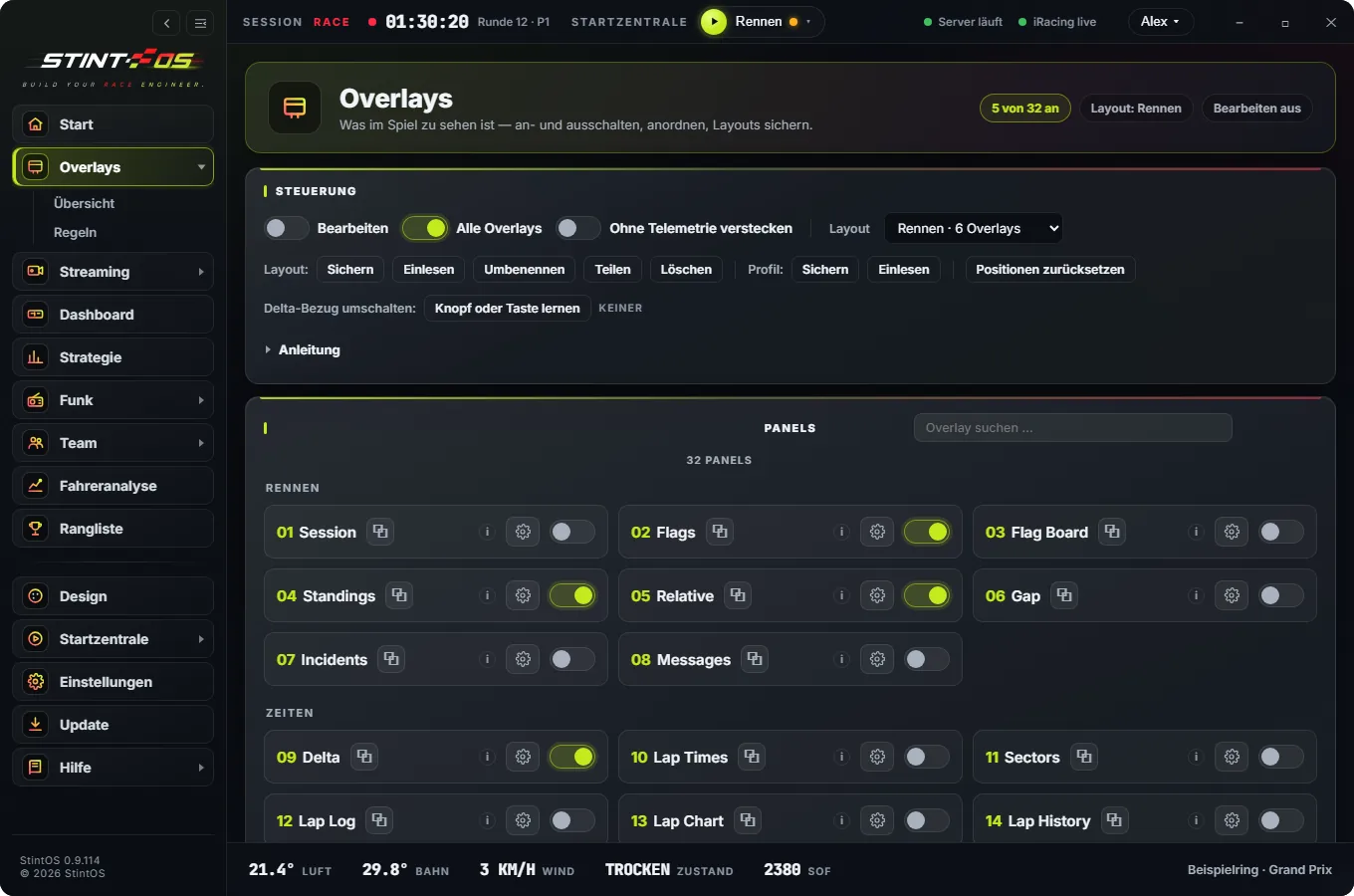
32 overlays
Gaps, relative, radar, fuel, tyres, weather, flags, map. Each one configurable.
- Relative, radar, gaps, fuel, tyres
- Weather, flags, map, pedals
- Several layouts, one click; every overlay also as a source in your streaming software
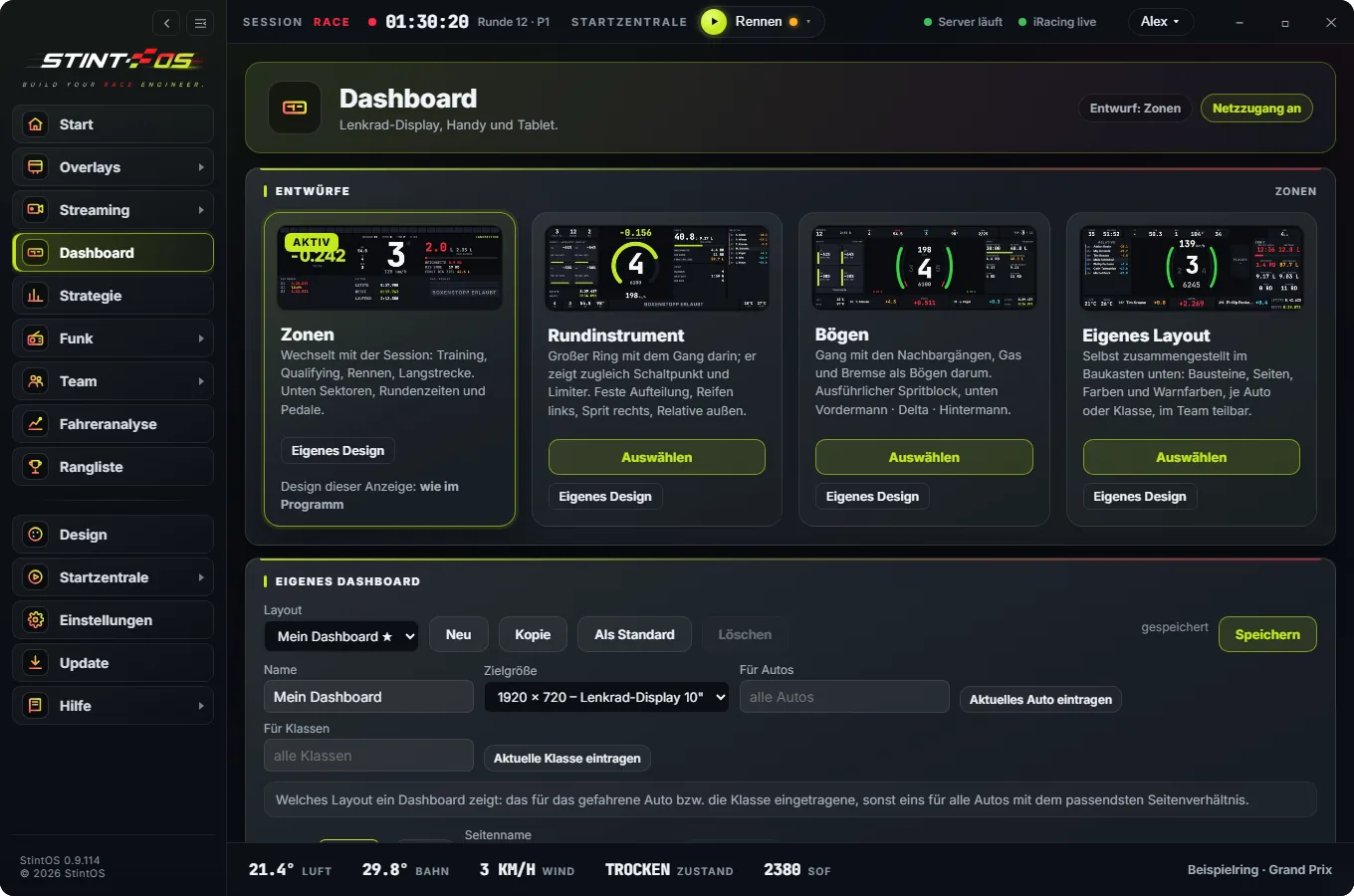
Dashboard and DDU
Borderless on your DDU, as a USB dashboard, or on tablet and phone via QR code. Design your own dashboards.
- Rev bar with the real shift points from iRacing
- Delta, gear, fuel, sectors, times, throttle and brake
- Flags and pit lane take over the whole display
- Design your own dashboard (Pro)
- USB dashboard with image adjustment
- Every dashboard also as an overlay on top of the game
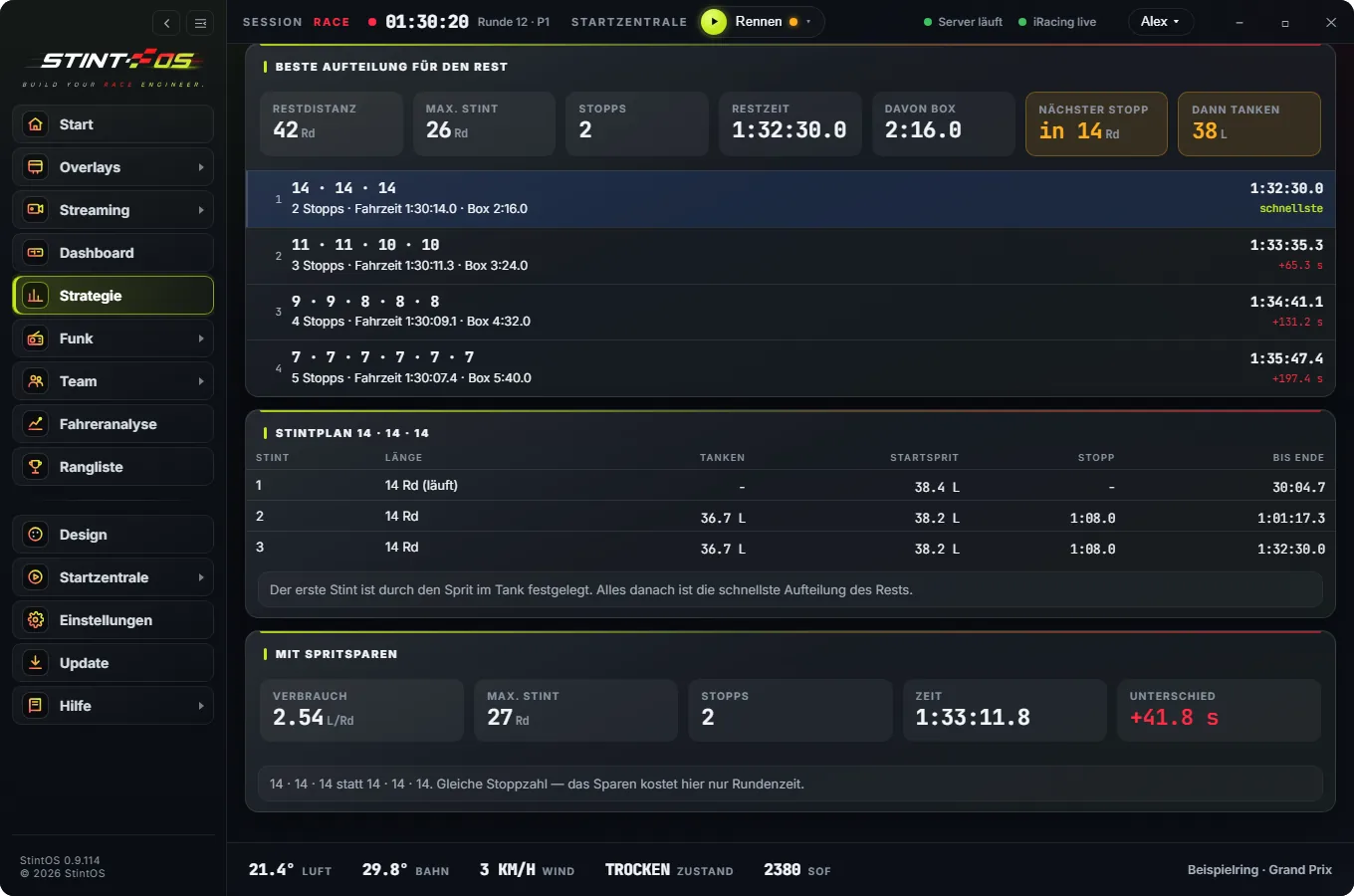
Strategy
Stints and stops calculated, with race length, rain forecast and an emergency stop after damage. Automatic mode sets the pit menu and radio by itself.
- Fuel amount is called and applied
- Fuel saving and the next-best option with its cost
- Race length from iRacing, time or laps, saved as a profile
- Emergency stop on damage, towing or meatball
- Rain forecast in fuel amount and tyre choice
- Starting fuel while still in the garage
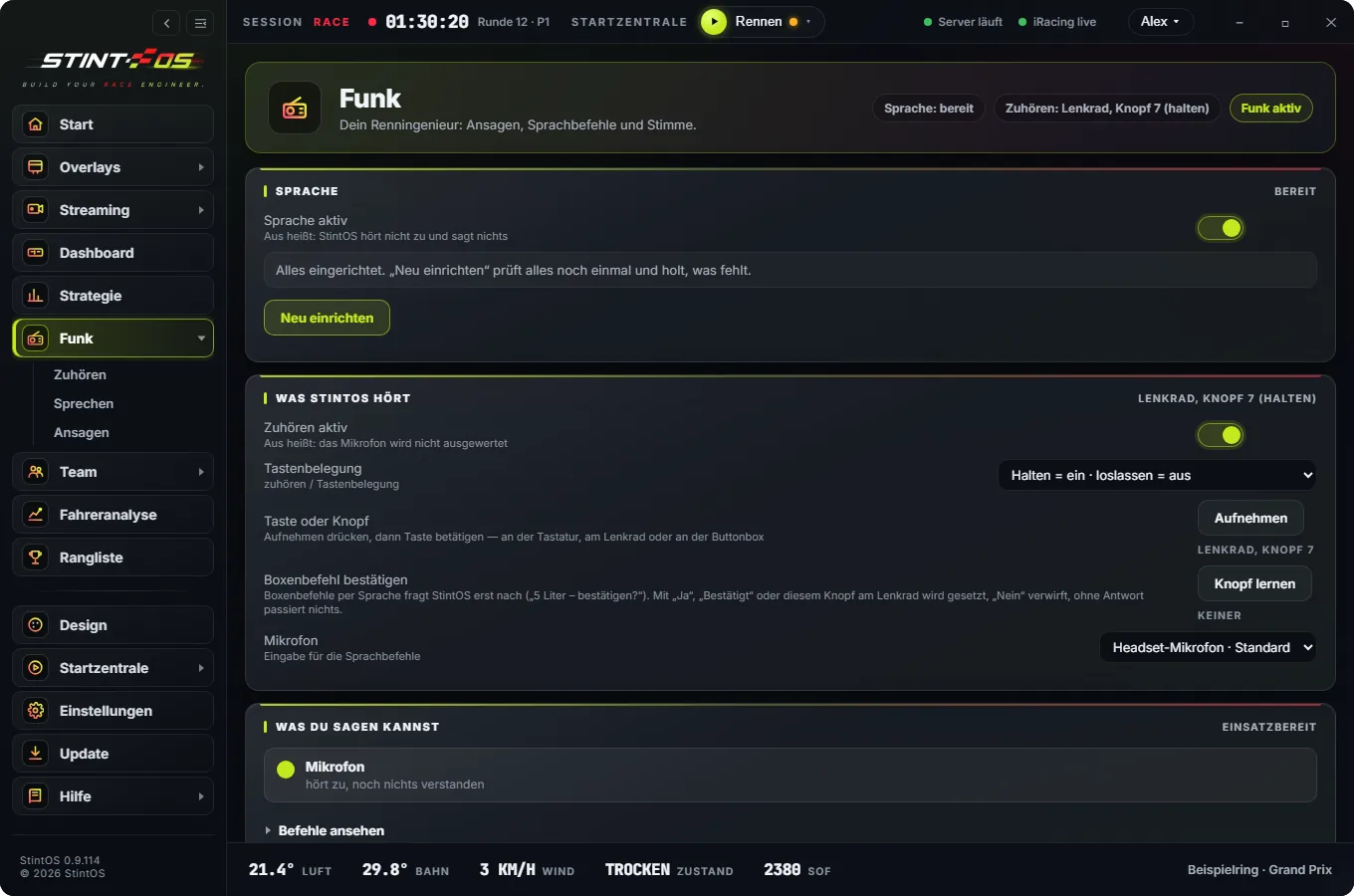
Radio and voice
Traffic, positions, flags, pit windows. Ask questions by voice or wheel button.
- Announcement groups switched on and off individually
- Voice commands or wheel button
- Several voices, all without internet
- Radio pause by button, wheel or voice
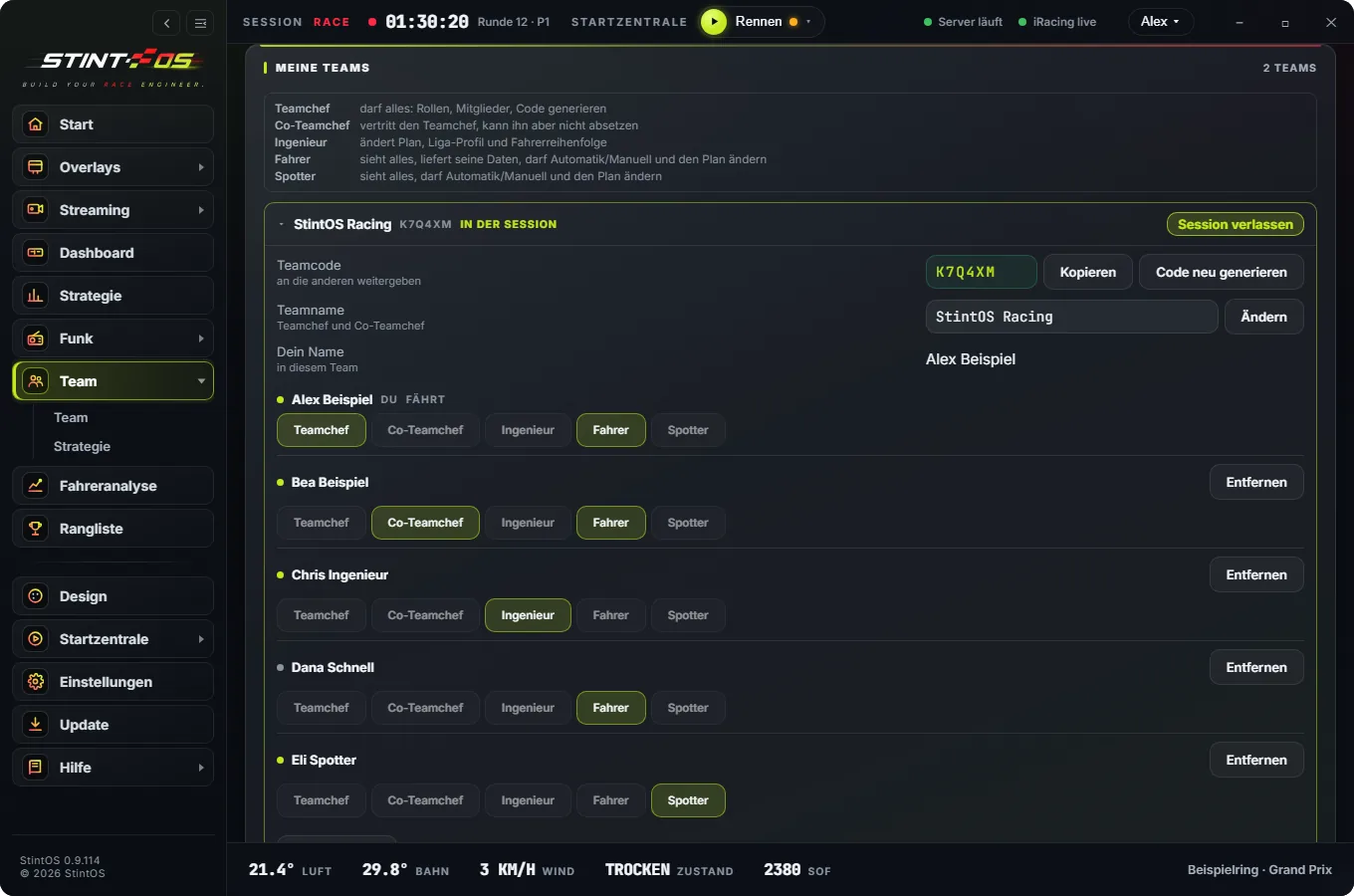
Team
A team code instead of setup. Info monitor with driver, time left, fuel and calls like “Box in 2 laps”.
- Who is driving, time left, fuel, laps in the tank
- Calls like “Box in 2 laps” for the whole team
- Spectators via QR code
- Watch your teammate with throttle, brake, steering and delta
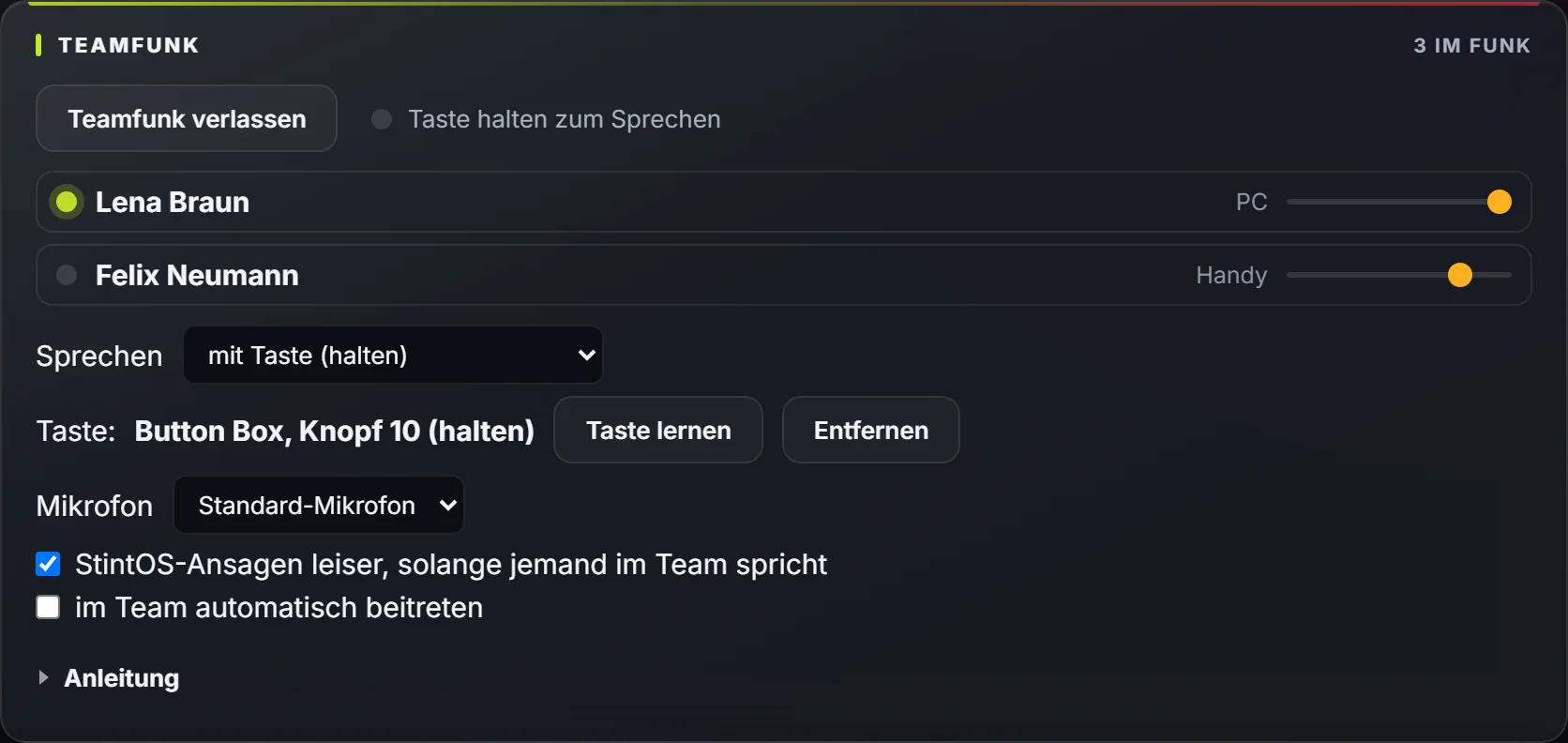
Team radio
Talk to your team without a separate voice chat app – on the PC and in the app.
- Hold a wheel or tablet button, voice activated, or open mic
- Channels by role: all, pit wall, driver + spotter — and the pit wall straight to the driver
- Talk openly with everyone, even while driving — switch by voice or wheel button
- In the app, one switch: push to talk or open
- StintOS calls get quieter while the team is talking
- Direct and encrypted, even behind strict routers
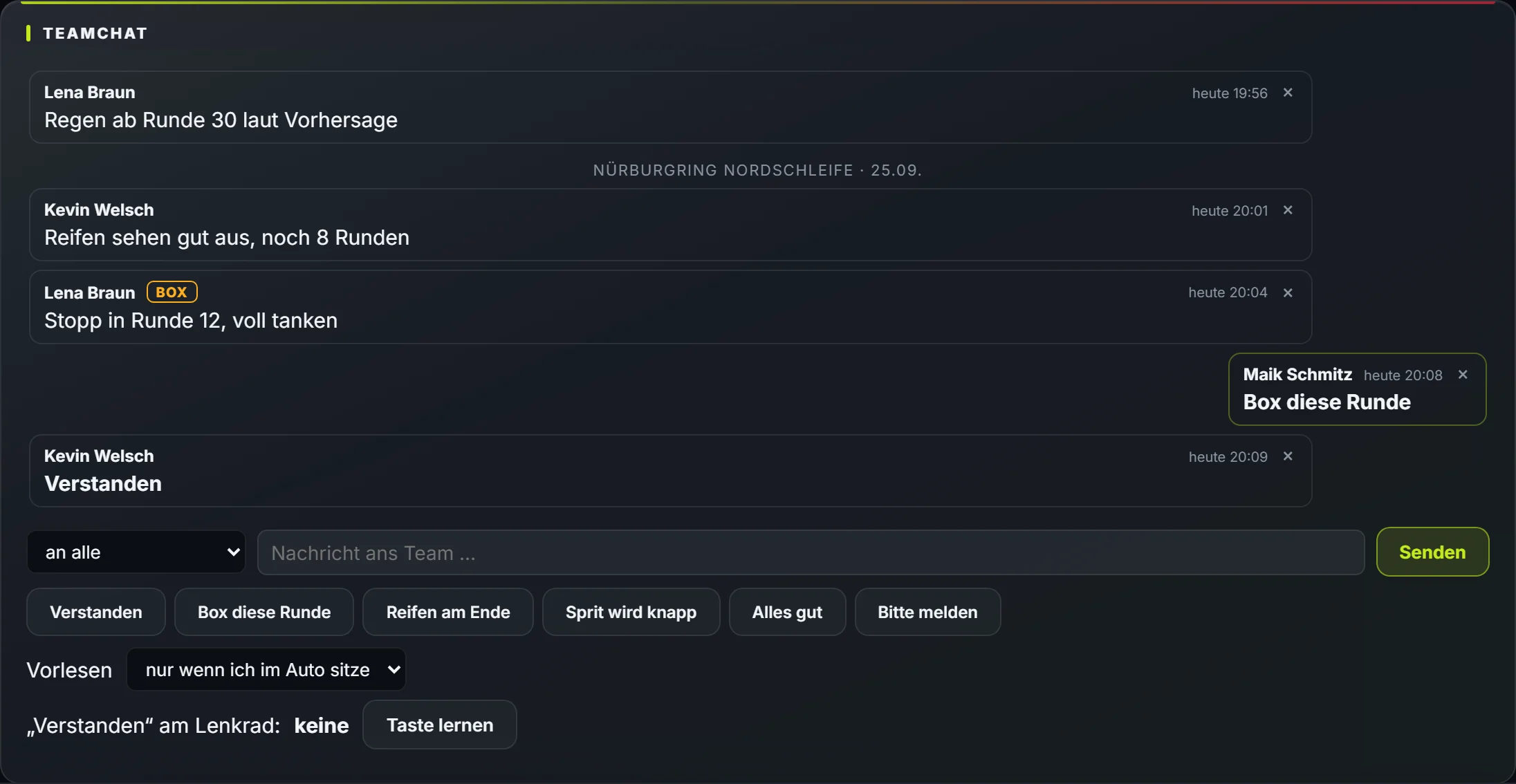
Team chat
Write to your team — on the PC, in the app and in the car without typing.
- In the car StintOS reads new messages aloud
- Reply by voice, wheel button or tablet
- Channels by role, race messages with track and date
- New messages from all your teams on the start page
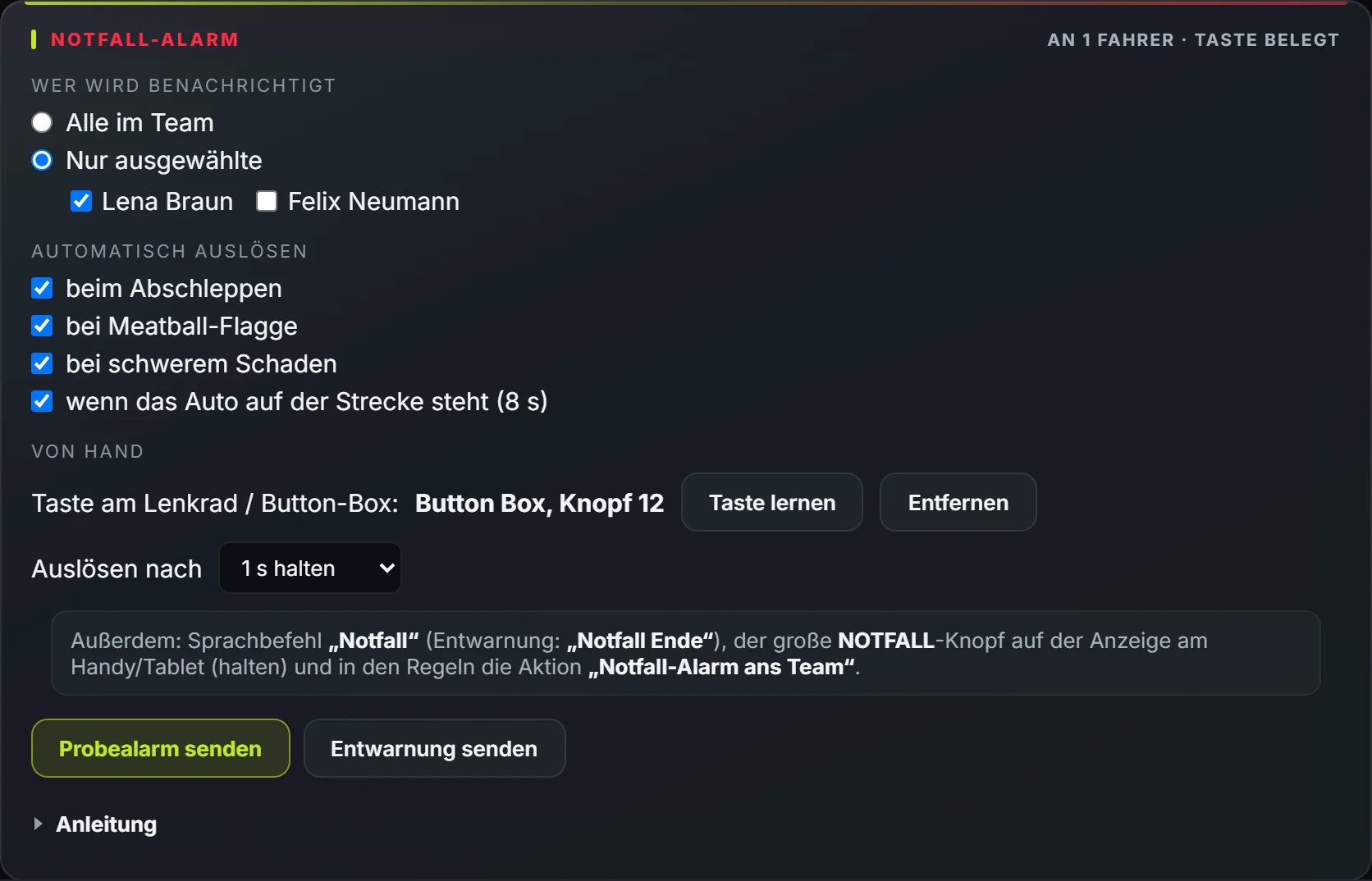
Emergency alert
One button and your team knows — red on their phones until someone confirms.
- Wheel button, big tablet button, voice command or rule
- Automatically when towed, on meatball, damage or when the car stops
- To the whole team or chosen drivers; the radio tells you who saw it
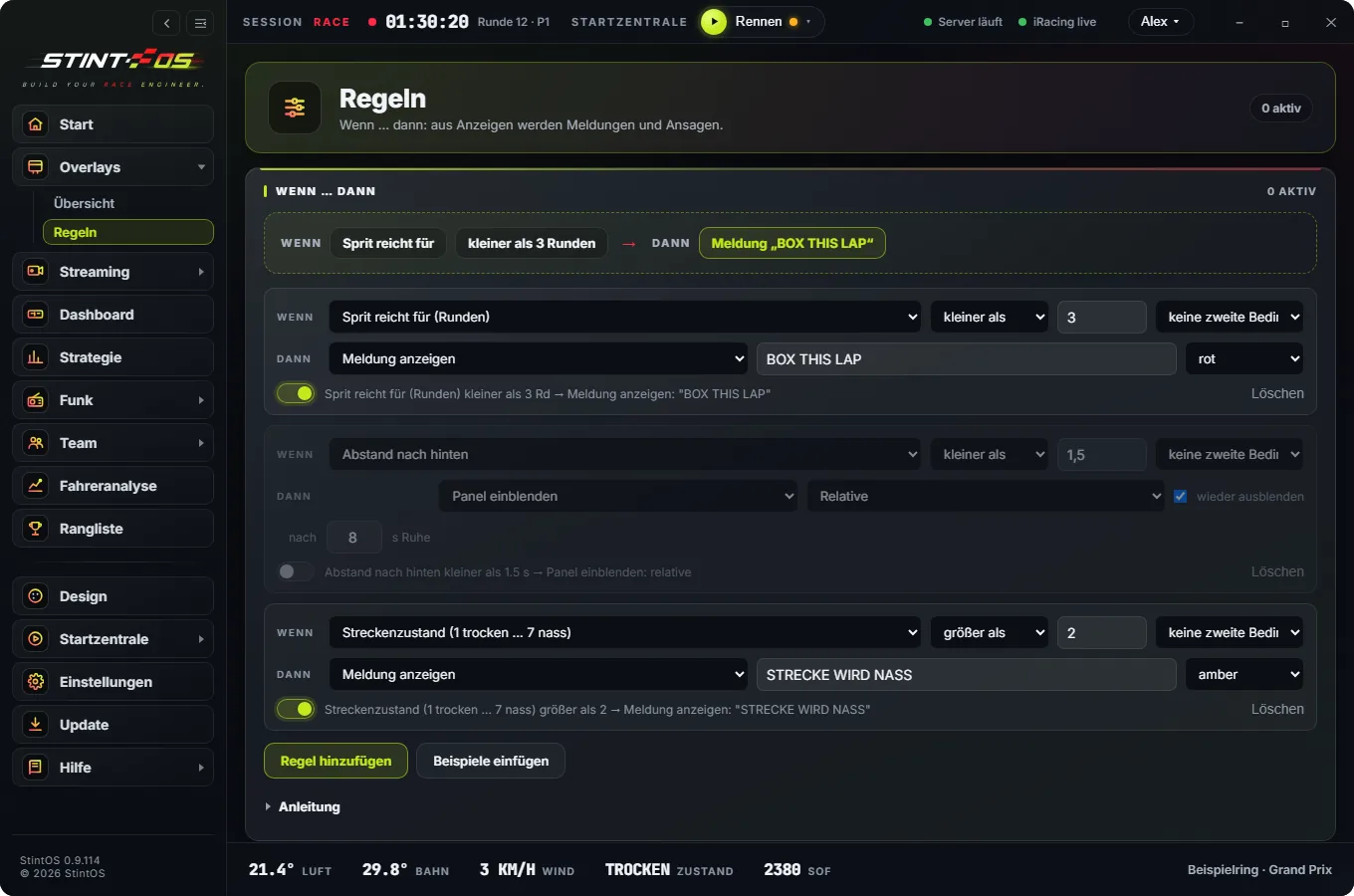
Rules
If fuel drops below three laps, call “Box this lap”. Your conditions, your reactions.
- Your own conditions from any telemetry value
- React with a call, an overlay or a message